

仿小红书打标签功能
 摘要:
我将从 功能设计、技术选型、后端实现、前端实现 四个方面,为你提供一个完整且可落地的方案, 功能设计我们要明确这个标签功能的核心是什么,核心功能点添加标签: 用户在发布笔记时,可以...
摘要:
我将从 功能设计、技术选型、后端实现、前端实现 四个方面,为你提供一个完整且可落地的方案, 功能设计我们要明确这个标签功能的核心是什么,核心功能点添加标签: 用户在发布笔记时,可以... 我将从 功能设计、技术选型、后端实现、前端实现 四个方面,为你提供一个完整且可落地的方案。
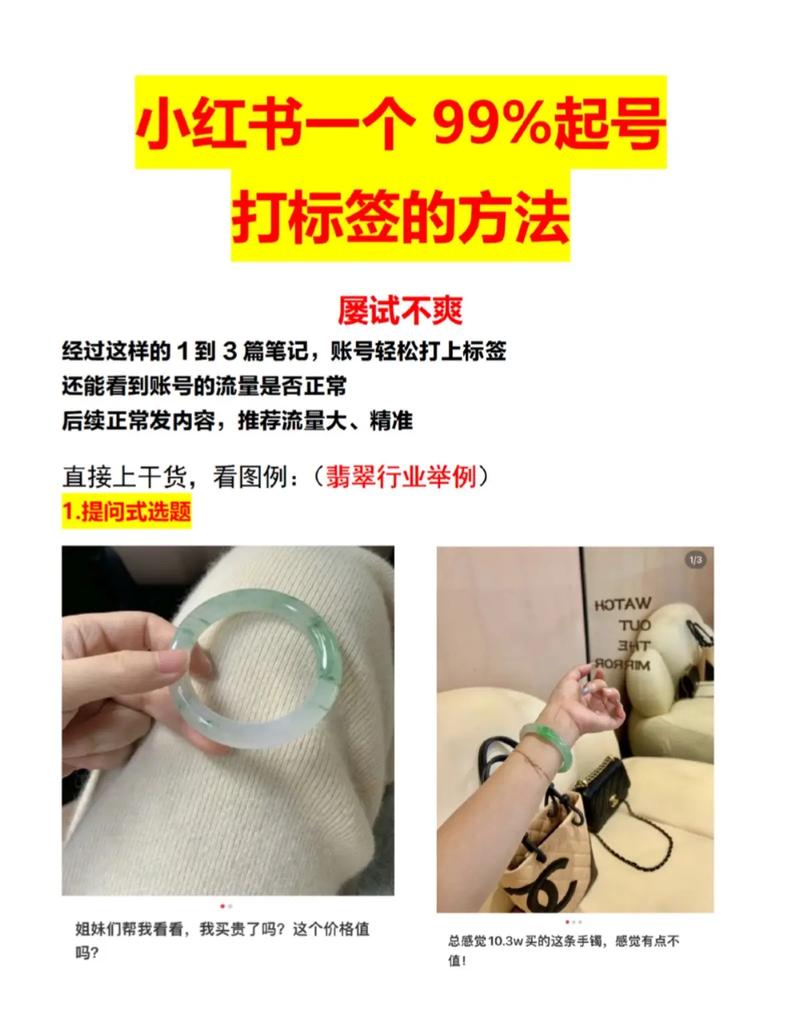
功能设计
我们要明确这个标签功能的核心是什么。
核心功能点
- 添加标签: 用户在发布笔记时,可以输入关键词来添加标签。
- 标签建议: 用户输入时,系统应自动弹出热门标签或相关标签供选择,提升效率。
- 标签展示: 发布后的笔记,标签以“#标签名”的形式高亮显示,点击可跳转。
- 标签点击: 点击笔记中的标签,可以进入该标签的聚合页面,查看所有带有该标签的笔记。
- 标签管理: 用户可以查看和管理自己使用过的标签历史。
- 标签搜索: 用户可以通过搜索框搜索特定的标签。
用户体验优化
- 输入即联想: 用户输入“#”或特定字符后,立刻触发建议。
- 标签云: 在标签聚合页面,可以用不同大小的标签来展示热门程度。
- 标签美化: 标签可以有统一的样式(如背景色、圆角、内边距),与正文内容区分开。
技术选型
这是一个典型的全栈功能,我们可以选择一个主流的技术栈。
| 功能模块 | 技术选型 | 说明 |
|---|---|---|
| 后端 | Node.js (Express/Koa) 或 Java (Spring Boot) | Node.js 适合快速开发,Spring Boot 性能稳定,生态成熟,这里以 Node.js + Express 为例。 |
| 数据库 | MySQL / PostgreSQL | 关系型数据库,适合存储结构化的标签和关联数据。 |
| Redis | (强烈推荐) 用于缓存热门标签、用户标签历史等,提升响应速度。 | |
| 前端 | Vue.js / React | 现代前端框架,能很好地处理组件化状态和交互,这里以 Vue.js 为例。 |
| UI库 | Element Plus / Ant Design Vue | 提供现成的输入框、下拉菜单等组件,加速开发。 |
后端实现 (Node.js + Express + MySQL)
后端是核心,需要设计清晰的数据库表和API接口。
数据库表设计
至少需要三张表:notes (笔记), tags (标签), note_tags (笔记-标签关联表)。
tags 表 (标签表)
| 字段名 | 类型 | 描述 |
| :--- | :--- | :--- |
| id | INT (PK, AI) | 标签唯一ID |
| name | VARCHAR(50) (UNIQUE) | 标签名称,如“小红书穿搭”、“美食探店” |
| usage_count | INT | 该标签被使用的总次数,用于排序 |
| created_at | DATETIME | 创建时间 |
notes 表 (笔记表)
| 字段名 | 类型 | 描述 |
| :--- | :--- | :--- |
| id | INT (PK, AI) | 笔记唯一ID |
| user_id | INT (FK) | 发布笔记的用户ID |
| content | TEXT | 笔记正文内容 |
| created_at | DATETIME | 创建时间 |
note_tags 表 (中间表)
| 字段名 | 类型 | 描述 |
| :--- | :--- | :--- |
| note_id | INT (FK) | 关联笔记ID |
| tag_id | INT (FK) | 关联标签ID |
| (PK) | (note_id, tag_id) | 联合主键,确保一个笔记对一个标签只能关联一次 |
API 接口设计
获取标签建议
- 路径:
GET /api/tags/suggestions - 参数:
query(string, 必填) - 用户输入的关键词 - 逻辑:
- 从
tags表中查询name字段包含query的记录。 - 按使用次数
usage_count降序排序,返回前 N 个(如10个)。 - 性能优化: 使用 Redis 缓存热门标签列表,
query为空或匹配热门标签,直接从缓存返回。
- 从
- 成功响应 (200 OK):
{
  "code": 0,
  "message": "success",
  "data": [
    { "id": 1, "name": "小红书穿搭", "usage_count": 5200 },
    { "id": 2, "name": "OOTD", "usage_count": 4800 }
  ]
}
发布笔记并处理标签
- 路径:
POST /api/notes - 参数:
content(string, 必填) - 笔记内容,可能包含 - 逻辑 (核心):
- 接收
content。 - 使用正则表达式
/(#[\u4e00-\u9fa5a-zA-Z0-9]+)/g匹配出所有标签字符串(如#小红书穿搭)。 - 事务处理: 开启数据库事务,确保数据一致性。
- 创建笔记记录到
notes表,获取新笔记的note_id。 - 遍历所有匹配到的标签名(去掉 ):
a. 检查
tags表中是否存在该标签名。 b. 如果不存在: 插入新标签到tags表,并获取其tag_id。 c. 如果存在: 直接获取其tag_id。 d. 增加使用次数: 将该标签的usage_count字段+1。 e. 在note_tags表中插入(note_id, tag_id)的记录。 - 提交事务。
- 接收
- 成功响应 (201 Created):
{
  "code": 0,
  "message": "Note created successfully",
  "data": {
    "note_id": 123
  }
}
获取标签聚合页面
- 路径:
GET /api/tags/:tagName/notes - 参数:
tagName(path, 必填) - 标签名 - 逻辑:
- 根据
tagName查询tags表,获取tag_id。 - 如果找不到标签,返回404。
- 根据
tag_id关联查询note_tags和notes表,获取所有包含该标签的笔记列表。
- 根据
- 成功响应 (200 OK):
{
  "code": 0,
  "message": "success",
  "data": {
    "tag": { "name": "小红书穿搭", "usage_count": 5201 },
    "notes": [
      { "id": 101, "content": "今天分享一套超仙的穿搭...", "user_id": 5 },
      { "id": 102, "content": "通勤懒人穿搭,5分钟搞定...", "user_id": 8 }
    ]
  }
}
前端实现 (Vue.js)
前端的核心是一个可复用的 TagInput 组件。
TagInput.vue 组件
这个组件负责处理标签的输入、展示和选择。
<template>
  <div class="tag-input-container">
    <!-- 输入框和已选标签 -->
    <div class="tag-display-area" @click="focusInput">
      <span v-for="tag in selectedTags" :key="tag.id" class="tag-item">
        #{{ tag.name }}
        <span class="tag-remove" @click.stop="removeTag(tag)">×</span>
      </span>
      <input
        ref="inputRef"
        v-model="inputValue"
        type="text"
        class="tag-input"
        @input="handleInput"
        @keydown="handleKeydown"
        placeholder="输入 # 添加标签"
      />
    </div>
    <!-- 标签建议下拉框 -->
    <div v-if="showSuggestions && suggestions.length > 0" class="suggestions-dropdown">
      <div
        v-for="suggestion in suggestions"
        :key="suggestion.id"
        class="suggestion-item"
        @click="selectSuggestion(suggestion)"
      >
        #{{ suggestion.name }}
        <span class="usage-count">({{ suggestion.usage_count }})</span>
      </div>
    </div>
  </div>
</template>
<script>
import { ref, computed, nextTick } from 'vue';
export default {
  props: {
    // 初始已选标签
    initialTags: {
      type: Array,
      default: () => [],
    },
  },
  emits: ['update:tags'],
  setup(props, { emit }) {
    const inputValue = ref('');
    const selectedTags = ref(props.initialTags);
    const suggestions = ref([]);
    const showSuggestions = ref(false);
    const inputRef = ref(null);
    // 当输入框内容变化时
    const handleInput = async () => {
      const tagText = inputValue.value.trim();
      // 输入为空或不是以#开头,则清空建议
      if (!tagText || !tagText.startsWith('#')) {
        showSuggestions.value = false;
        return;
      }
      const query = tagText.substring(1);
      try {
        // 调用API获取建议
        const response = await fetch(`/api/tags/suggestions?query=${encodeURIComponent(query)}`);
        const result = await response.json();
        if (result.code === 0) {
          suggestions.value = result.data;
          showSuggestions.value = true;
        }
      } catch (error) {
        console.error('Failed to fetch suggestions:', error);
      }
    };
    // 选择建议的标签
    const selectSuggestion = (tag) => {
      // 避免重复添加
      if (!selectedTags.value.find(t => t.id === tag.id)) {
        selectedTags.value.push(tag);
      }
      inputValue.value = ''; // 清空输入框
      showSuggestions.value = false;
      emit('update:tags', selectedTags.value); // 通知父组件
    };
    // 手动输入并添加标签 (简化版,实际可能需要更复杂的校验)
    const handleKeydown = (e) => {
      if (e.key === 'Enter' && inputValue.value.trim().startsWith('#')) {
        const tagName = inputValue.value.trim().substring(1);
        // 这里可以创建一个本地临时标签对象,或调用API创建
        const newTag = { id: Date.now(), name: tagName, usage_count: 0 }; // 临时ID
        selectSuggestion(newTag);
      }
      if (e.key === 'Backspace' && !inputValue.value && selectedTags.value.length > 0) {
        // 删除最后一个标签
        selectedTags.value.pop();
        emit('update:tags', selectedTags.value);
      }
    };
    // 移除标签
    const removeTag = (tag) => {
      selectedTags.value = selectedTags.value.filter(t => t.id !== tag.id);
      emit('update:tags', selectedTags.value);
    };
    // 聚焦输入框
    const focusInput = () => {
      nextTick(() => {
        inputRef.value.focus();
      });
    };
    return {
      inputValue,
      selectedTags,
      suggestions,
      showSuggestions,
      inputRef,
      handleInput,
      handleKeydown,
      selectSuggestion,
      removeTag,
      focusInput,
    };
  },
};
</script>
<style scoped>
.tag-input-container {
  position: relative;
  border: 1px solid #ddd;
  border-radius: 8px;
  padding: 8px;
  min-height: 40px;
  width: 100%;
}
.tag-display-area {
  display: flex;
  flex-wrap: wrap;
  align-items: center;
  gap: 4px;
}
.tag-item {
  background-color: #f0f0f0;
  color: #333;
  padding: 4px 8px;
  border-radius: 12px;
  font-size: 14px;
  display: inline-flex;
  align-items: center;
}
.tag-remove {
  margin-left: 6px;
  color: #999;
  cursor: pointer;
}
.tag-input {
  border: none;
  outline: none;
  flex: 1;
  min-width: 100px;
  font-size: 14px;
}
.suggestions-dropdown {
  position: absolute;
  top: 100%;
  left: 0;
  right: 0;
  background: white;
  border: 1px solid #eee;
  border-radius: 4px;
  margin-top: 4px;
  z-index: 1000;
  box-shadow: 0 2px 8px rgba(0,0,0,0.1);
}
.suggestion-item {
  padding: 8px 12px;
  cursor: pointer;
  font-size: 14px;
}
.suggestion-item:hover {
  background-color: #f7f7f7;
}
.usage-count {
  color: #999;
  font-size: 12px;
  margin-left: 4px;
}
</style>
在发布笔记页面使用 TagInput
<!-- PostNote.vue -->
<template>
  <div class="post-note-page">
    <h2>发布新笔记</h2>
    <textarea v-model="noteContent" placeholder="分享你的新鲜事..."></textarea>
    <h3>添加标签</h3>
    <TagInput v-model:tags="selectedTags" />
    <button @click="publishNote">发布</button>
  </div>
</template>
<script>
import { ref } from 'vue';
import TagInput from '@/components/TagInput.vue';
export default {
  components: {
    TagInput,
  },
  setup() {
    const noteContent = ref('');
    const selectedTags = ref([]); // 存储选中的标签对象数组
    const publishNote = async () => {
      if (!noteContent.value || selectedTags.value.length === 0) {
        alert('内容不能为空且至少添加一个标签');
        return;
      }
      // 构造发送给后端的数据
      // 可以将标签数组转换为名字字符串,或者直接发送标签ID数组
      const payload = {
        content: noteContent.value,
        tags: selectedTags.value.map(tag => tag.name), // 或者 tag.id
      };
      try {
        const response = await fetch('/api/notes', {
          method: 'POST',
          headers: {
            'Content-Type': 'application/json',
          },
          body: JSON.stringify(payload),
        });
        const result = await response.json();
        if (result.code === 0) {
          alert('发布成功!');
          // 跳转到新笔记页面
        } else {
          alert('发布失败: ' + result.message);
        }
      } catch (error) {
        console.error('Error publishing note:', error);
        alert('网络错误,请稍后重试');
      }
    };
    return {
      noteContent,
      selectedTags,
      publishNote,
    };
  },
};
</script>
在笔记详情页和标签聚合页展示标签
<!-- NoteDetail.vue -->
<template>
  <div class="note-detail">
    <p>{{ note.content }}</p>
    <div class="note-tags">
      <router-link
        v-for="tag in note.tags"
        :key="tag.id"
        :to="`/tags/${tag.name}`"
        class="tag-link"
      >
        #{{ tag.name }}
      </router-link>
    </div>
  </div>
</template>
<script>
export default {
  props: {
    note: {
      type: Object,
      required: true,
    },
  },
};
</script>
<style scoped>
.note-tags {
  margin-top: 16px;
}
.tag-link {
  display: inline-block;
  background-color: #fef7e6;
  color: #ff6700;
  padding: 2px 8px;
  border-radius: 4px;
  margin-right: 8px;
  text-decoration: none;
  font-size: 14px;
}
.tag-link:hover {
  background-color: #ffe7ba;
}
</style>
仿小红书的打标签功能是一个综合性很强的功能,它结合了 文本解析、数据库设计、API开发、前端交互和状态管理。
关键点回顾:
- 后端是基石: 合理的数据库表设计(尤其是中间表)和健壮的API是实现功能的核心。
- 性能是关键: 使用 Redis 缓存热门标签,可以极大提升用户体验。
- 前端是门面: 一个设计良好、交互流畅的
TagInput组件是用户直接感知的部分。 - 数据流闭环: 从用户输入,到前端调用API,再到后端处理并存储,最后返回数据展示给用户,形成一个完整的数据流闭环。
这个方案提供了一个从0到1的完整思路,你可以根据自己项目的具体技术栈和业务需求进行调整和扩展。
作者:99ANYc3cd6本文地址:https://www.chumoping.net/post/20522.html发布于 01-26
文章转载或复制请以超链接形式并注明出处初梦运营网